Meet Orbit
See an ad-free Home, the widget gallery, a new wallpaper and the phone editor in one tour.
 orbit
Get Orbit
A launcher for Android TV devices and Google TV devices
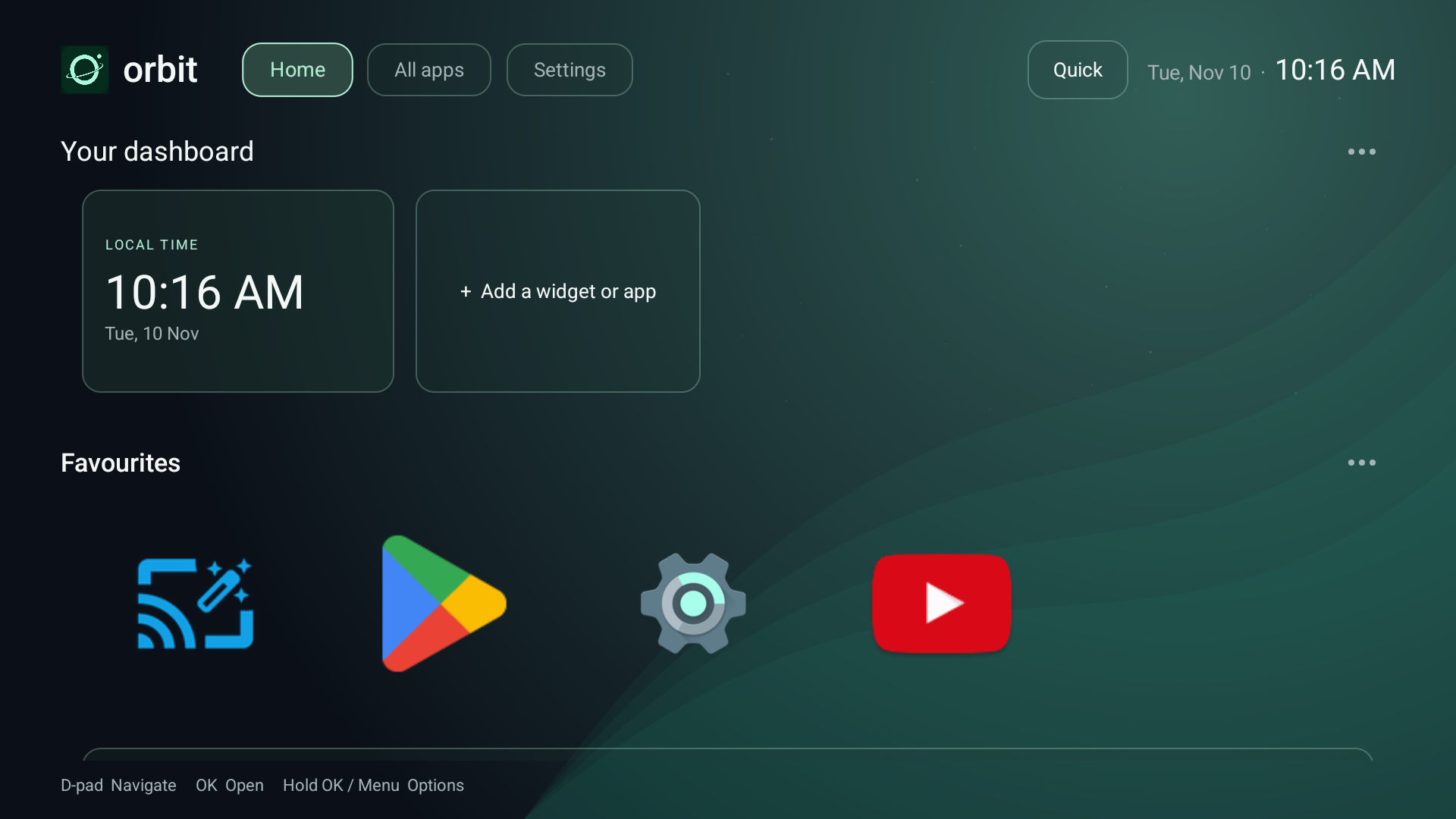
Orbit Android Launcher gives your installed apps, widgets and wallpapers an ad-free home screen. Start with Free; add phone editing and more with Pro.
Free to start. Pro planned at £4.99 one time. Ad-free in both editions.
The Orbit demos
Recorded in Orbit 0.5.31 on Android TV. Each demo has narration, background music and optional English captions. Pro features are shown; installed apps vary.
See an ad-free Home, the widget gallery, a new wallpaper and the phone editor in one tour.
Open Phone editor in Orbit settings, scan the QR, approve the phone on your TV and save a new row order. Use the same trusted home network.
Browse the widget gallery, choose a size and add a built-in panel to Home. Run Test Android widgets to check whether your device can host app widgets.
Open Wallpaper in Settings, browse the library, preview an Orbit original and apply it to Home. Originals are available offline.
Get the APK from your receipt and open it on your TV. Launch Orbit and set up the remote’s Home button. Read the Home button guide.
01 / A home that feels like home
Choose what belongs on your screen.
Orbit puts your favourites first, with
no sponsor banners taking the spotlight.
Give every app a place.
Make yourself at home with your D-pad.
Rename, reorder, resize or hide.
03 / Set the mood
Choose an Orbit original or browse wallpapers by category in either edition. Bring your own photos, GIFs and videos with Orbit Pro.
Illustrative colour previews. In Orbit, browse Nature, Mountains, Coast, Forests, Space and Cities. Online results are filtered to public-domain or CC0 images, with source and licence details shown.
04 / Thoughtful by default
Choose Orbit as your default home where your TV supports it. An optional Home-button redirect helps on supported devices.
Open TV settings and supported HDMI or AV inputs straight from your launcher.
Protect selected apps and Orbit settings with a PIN. Availability of additional app guarding depends on Android permissions.
Automatic local backups and manual layout exports help you restore your setup or move it to another TV.
Before you settle in
Orbit runs on compatible Android TV devices and Google TV devices with Android 8.0 or later, including televisions, streaming boxes and sticks.
Direct APK download · Your device must allow installation from a file.
Android TV, made personalCheck that your device runs Android TV or Google TV. Samsung Tizen and LG webOS televisions cannot install this Android app.
Your remote, your controlsNavigate Orbit with a D-pad remote. Some third-party widgets may need a mouse for setup or interaction.
A few things depend on your TVHome-button replacement, widget hosting and input shortcuts vary by firmware. HDMI shortcuts require an input that the Android TV device exposes to Orbit.
Orbit Free and Orbit Pro
Get a clean home screen with Free. Upgrade for more ways to style it, more widgets to put on it, and editing from your phone.
| Feature | Orbit Free | Orbit Pro £4.99 one time |
|---|---|---|
| Home layout | Ad-free Home, favourites, rows and grids, with global size and spacing controls. | Style individual rows with their own tile sizes, margins, spacing, backgrounds and focus effects. |
| Wallpapers | Orbit originals and the online wallpaper library. | Use your own photos, GIFs or videos as the background. |
| Atmosphere | Manual themes including Evergreen, Dusk and Midnight blue. | Let daylight and the forecast set the scene. See sun, moon and stars, clouds, rain, snow or fog. Choose colours only for a quieter look. |
| Built-in widgets | Clock and date and one Local weather tile. | All 17 built-in widgets, including Headlines, world clocks, a planner, media controls and device stats. See the full Pro list. |
| RSS / Atom headlines | Available in Pro. | Choose your own feeds, see supplied thumbnails and scan an article’s QR code to read on your phone. Explore Headlines. |
| Widgets from other apps | Run the sample clock test to check your TV. | Add widgets from compatible installed apps. Some TVs need one-time setup. |
| Phone editor | Edit your layout with the TV remote. | Scan a QR code to rearrange rows, configure widgets or upload a photo from your phone’s browser. |
A simpler home. A simple price.
One launcher. Your favourite apps.
A home screen with room to breathe.
One payment. Up to five devices in your household. Full widget library and phone editor.
Coming soon · Checkout is not open yet.
Orbit Free includes the ad-free launcher, wallpaper library, Clock and date, one Local weather tile and the Android widget compatibility test. Compare Free and Pro.
No subscription. Final taxes and total will be shown by Lemon Squeezy when sales open.
Once Orbit launches
A direct Android download.
A few simple steps to make it home.
Start with the official Free download when available. After buying Pro, find its installer and key in your Lemon Squeezy receipt or My Orders.
Transfer the file to your TV and open it with a file manager. Allow that file manager to install unknown apps when Android asks.
Follow the welcome tour and add your favourites. Use the setup guide to activate Pro and configure your remote’s Home button.
Good to know
Less guesswork.
More time enjoying your TV.
Not yet. This is a preview of the Orbit website. Checkout will open after our Lemon Squeezy store is approved, a signed release is ready and device testing is complete. No payment is taken here today.
Check that it runs Android TV or Google TV with Android 8.0 or later and allows APK installation. Home replacement, app widgets and inputs depend on your model and firmware. You can still open Orbit from the device’s apps screen if it cannot take over Home.
No. We plan to sell Orbit Pro for a one-time payment of £4.99 for up to five active Android TV or Google TV devices in your household. The final checkout will show applicable taxes and the complete purchase terms before you pay.
Orbit organises the apps already installed on your device. Your purchase covers the launcher app. Orbit provides no live TV channels, IPTV access, films, shows or streaming subscriptions. Use your own streaming apps and subscriptions.
Install the official Pro release, then open Settings → Activate Pro and enter the licence key from your receipt. One key covers up to five active devices for you and your household. Release an unused activation before adding a replacement when all five slots are occupied. Activation and transfer instructions.
Export a layout backup, keep the existing app installed and install the official newer release over it. Avoid uninstalling to fix an update error. Read the update and backup instructions.
No. Pro’s phone editor opens in your phone’s browser on the same trusted network. Match the code and approve the connection on your TV. The temporary local connection uses HTTP, so use a network you trust. Phone editor setup.
In Orbit Pro, choose Widget library → Media → Headlines and add a tile. Enter an HTTPS RSS or Atom feed address on the TV, or paste it into that tile’s settings in the paired phone editor. Each widget can use a different source. Orbit checks feeds every 30 minutes while Home is visible and keeps saved headlines for offline viewing. No publisher feeds are bundled. Copy the NASA and Guardian feed examples we tested, or read the Headlines setup guide.
Orbit Pro can host widgets from compatible apps installed on your device. Use the free Android widget test to check whether your device can host them. Some app widgets need a mouse. See the app widget instructions.
Use Android’s default Home chooser where it is available. Orbit also offers an optional accessibility-based Home redirect, which requires your consent and supported firmware. Home replacement depends on firmware. Follow the Home button setup guide.
Orbit includes offline original backgrounds. Online wallpaper searches use Wikimedia Commons and show image source and licence information. The launcher has no advertising or analytics. Optional online features connect to their providers when used. Read the privacy notes below for more detail.
For help with Orbit, email orbitlauncherhelp@outlook.com. Include your device model, Android version and Orbit version. Update information and purchase/refund terms will be published before sales open. This preview does not offer a paid download or accept preorders.